
Download Quick Screenshot Maker – Free Screen Capture Tool for Windows, Mac & Android
Quick Screenshot Maker is a fast, lightweight, and feature-packed screen capture software designed for users who need reliable, high-quality screenshots in seconds. Whether you're creating tutorials, documenting bugs, sharing ideas, or preparing reports, this tool streamlines the entire process with intuitive controls and powerful editing features. With support for partial screen capture, scrolling window recording, cursor tracking, and timer-based screenshots, Quick Screenshot Maker ensures you never miss a moment.
Its built-in editor lets you crop, resize, rotate, apply visual effects, add annotations, and even mirror images. The software is completely free to download and use, making it one of the best no-cost solutions for both beginners and professionals. With a clean interface and seamless integration across Windows, Mac, and Android devices, Quick Screenshot Maker delivers a smooth experience without bloat or ads.
Key Features of Quick Screenshot Maker
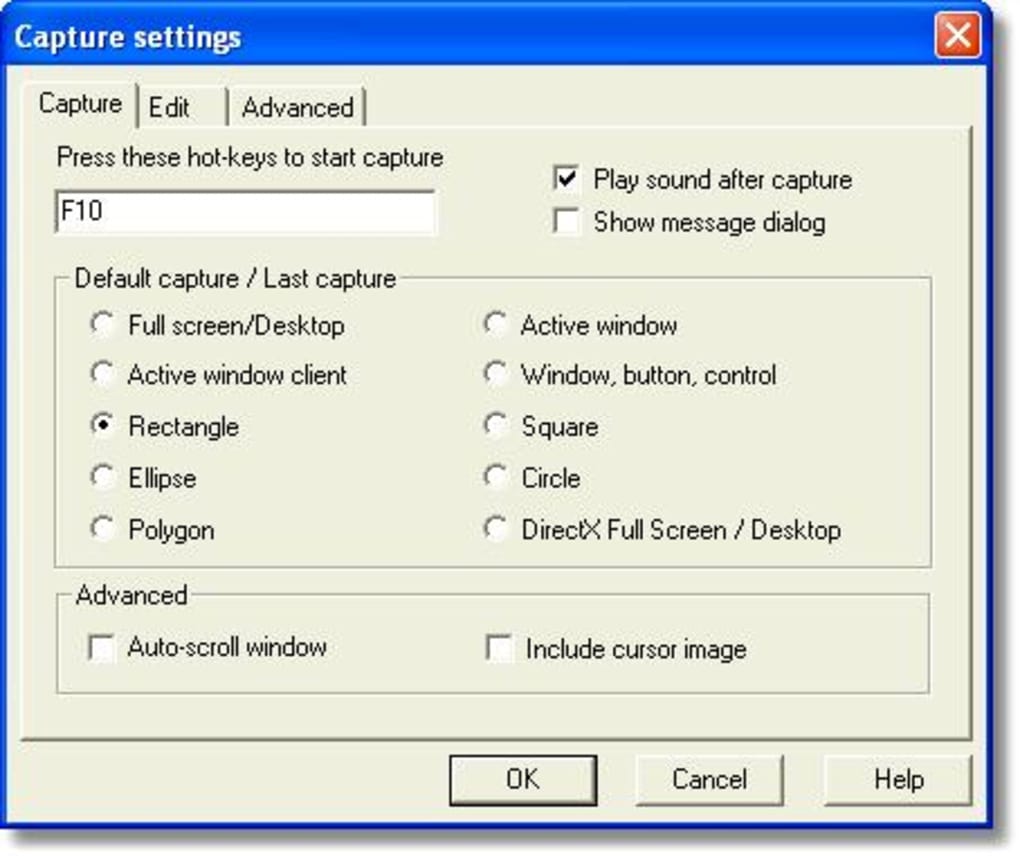
Quick Screenshot Maker stands out in the crowded screen capture market thanks to its comprehensive set of tools that combine speed, precision, and creativity. One of the most valuable features is the ability to capture any portion of your screen with a single click—no need to fumble with complex settings. The software supports advanced capture modes such as full-screen, window-specific, and scrolling window capture, ideal for long web pages or lengthy documentation. For users who need to highlight cursor movements, the tool includes a dedicated option to include the mouse pointer in the screenshot, which is especially useful for tutorial creation.
Another standout feature is the built-in image editor, which offers a wide range of customization tools. You can crop, resize, rotate, and flip images with ease. The mirror image function adds a unique touch for creative presentations or social media content. Color adjustments like brightness, contrast, and opacity controls let you fine-tune your visuals for maximum clarity. For those who want to make their screenshots pop, there are over 40 built-in visual effects—think glow, blur, vignette, and vintage filters—that instantly elevate the aesthetic quality.
Annotation tools are robust and user-friendly. Add text labels, arrows, rectangles, and freehand highlights directly onto your screenshots. These annotations are fully customizable with color, thickness, and transparency options.
The History Bar keeps a record of all your recent captures, making it easy to revisit, edit, or re-share files. You can also export directly to your preferred folder, copy to clipboard, or upload to cloud platforms like Google Drive, Dropbox, or OneDrive. With such a powerful feature set packed into a free tool, Quick Screenshot Maker delivers exceptional value for both personal and professional use.
Easy Installation & Seamless Usage Across Devices
Getting started with Quick Screenshot Maker is straightforward and hassle-free. The software is available for download on Windows, Mac, and Android platforms, ensuring cross-device compatibility. The installation process is quick—typically under a minute—requiring minimal system resources. Once installed, the app runs quietly in the background and can be launched with a simple keyboard shortcut (e.g., Ctrl+Shift+S), allowing you to capture screenshots instantly without interrupting your workflow.
Upon opening, the interface is clean and intuitive, with clearly labeled buttons and minimal clutter. The main capture window displays your screen preview with options to select capture type, include cursor, set timer delay, and choose output destination. For beginners, the default settings work perfectly fine, but advanced users can dive into customizable preferences such as default save location, file naming conventions, and automatic upload settings.
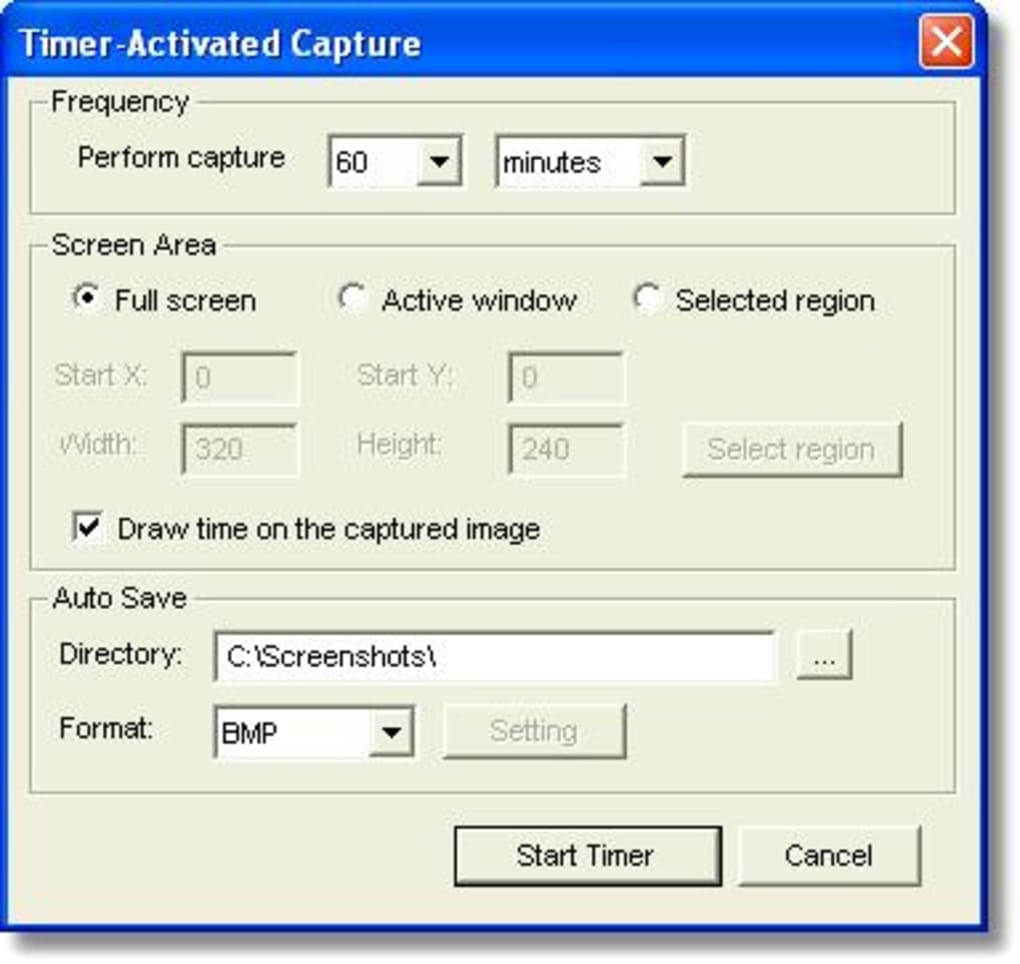
Usage is highly responsive. Whether you're capturing a fleeting error message or a long scrolling webpage, the tool adapts seamlessly. The timer feature (set from 1 to 10 seconds) is perfect for capturing dynamic content like pop-up menus or animated interfaces.
After capture, the built-in editor opens automatically, letting you edit and annotate immediately. You can also access your entire history from the History Bar, which displays thumbnails of all past screenshots with timestamps and file sizes. This makes it easy to organize and manage your visual content efficiently.
Compatibility & System Requirements
Quick Screenshot Maker is designed to run smoothly on a wide range of operating systems. It supports Windows 7 and later, including Windows 10 and Windows 11, with full compatibility for both 32-bit and 64-bit versions. On Mac, the software is compatible with macOS Mojave (10.14) and newer, ensuring it works well on Apple Silicon (M1/M2) and Intel-based Macs. For mobile users, an Android version is available on the Google Play Store, allowing you to capture screenshots on smartphones and tablets with ease.
The software is lightweight, requiring only a few hundred MB of RAM and minimal CPU usage, so it won’t slow down your system even during extended use. It doesn’t require administrator privileges to install, making it ideal for shared or restricted work environments. The app is also safe to use—no malware, no spyware, and no bundled third-party software. All updates are delivered through the official website or app store, ensuring you always have access to the latest features and security patches.
For users managing multiple devices, the consistent interface across platforms ensures a seamless experience. Whether you're on a desktop, laptop, or mobile device, the core functionality remains the same. This cross-platform consistency is a major advantage for remote teams, educators, and content creators who need to capture and share visuals across different devices without learning new tools.
Pros & Cons of Quick Screenshot Maker
- Pros:
- Completely free with no hidden costs or ads
- Fast and lightweight with minimal system impact
- Supports scrolling window capture and timer-based screenshots
- Rich editing tools: crop, resize, rotate, mirror, and apply 40+ visual effects
- Powerful annotation features: text, arrows, highlights, and customizable styles
- History Bar for easy access and management of past captures
- Multiple export options: save to folder, clipboard, cloud services
- Available on Windows, Mac, and Android platforms
- Cons:
- Limited to basic screen recording (no video capture)
- No built-in OCR (text recognition) feature
- Cloud upload requires manual setup for some services
- Mobile version lacks some advanced editing tools
- Interface may feel outdated to users expecting modern design trends
Frequently Asked Questions (FAQ)
- Can I use Quick Screenshot Maker for free?
-
Yes, Quick Screenshot Maker is completely free to download and use. There are no premium tiers, subscription fees, or watermarks on captured images.
- Is Quick Screenshot Maker available for Mac and Android?
-
Yes, the software is available for macOS (10.14 and above) and Android devices. You can download the Mac version from the official website and the Android app from the Google Play Store.
- Can I capture scrolling windows with this tool?
-
Yes, one of the standout features is the ability to capture long web pages or documents that extend beyond the visible screen. The scrolling capture function automatically takes screenshots of the entire page and stitches them together.
- Does it support adding text and arrows to screenshots?
-
Absolutely. The built-in editor includes robust annotation tools such as text boxes, arrows, rectangles, and freehand highlights. You can customize colors, sizes, and transparency for professional-looking results.
- How do I access my past screenshots?
-
All your captured screenshots are stored in the History Bar, which displays thumbnails with timestamps. You can double-click to open, edit, or re-share any image directly from this panel.
Final Verdict: Why Quick Screenshot Maker is a Must-Have Tool
If you're looking for a reliable, fast, and feature-rich screen capture tool that won’t cost you a penny, Quick Screenshot Maker is an excellent choice. It combines essential capture functions with powerful editing and organization tools, making it suitable for students, educators, developers, marketers, and remote workers alike. Its support for multiple platforms ensures you can capture and edit visuals wherever you are.
While it doesn’t offer video recording or OCR capabilities, its core strengths—speed, simplicity, and versatility—make up for these minor limitations. The free model, combined with regular updates and strong security practices, makes it one of the most trusted tools in its category.
Ready to simplify your screenshot workflow? Download Quick Screenshot Maker today and experience seamless screen capture, editing, and sharing—no strings attached.







